PassSave: Encrypted Chrome vault with PIN quick‑access
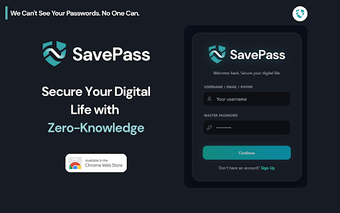
PassSave, developed by a dedicated security team, is a Chrome extension that acts as a password manager and encrypted digital vault. It stores account credentials, auto-fills login fields, and surfaces verification alerts while presenting a dark, glassmorphic interface. Key capabilities include local encryption, secure credential sharing, and optional two-factor support. The extension targets everyday internet users who juggle multiple accounts and prefer a design-forward tool that reduces repeated master-password entry.
What is PassSave used for?
PassSave functions as an in-browser encrypted repository for account details, explicitly listing platforms like Google, Facebook, and Instagram as examples. The extension detects login fields and injects saved credentials via its Smart Auto-Fill, which reduces manual typing. The interface emphasises a dark 'Dark Luxury' theme with glassmorphic elements, making credential management a visual part of the browsing session rather than a separate utility.
How does it behave inside Chrome and other Chromium browsers?
The extension runs inside Chrome and other Chromium-based browsers, so its presentation and synchronization features rely on a modern version of the browser to render the glassmorphic UI correctly. Resource use is governed by the host browser rather than a standalone process. The tool integrates into the browsing workflow, offering in-context unlocks and field detection without switching to an external application.
How does PassSave handle privacy and security?
PassSave applies local encryption under a zero-knowledge model, encrypting sensitive data on the device so stored credentials remain inaccessible to the developer. The extension supports two-factor authentication and sends security notifications and one-time passwords via email, adding layers for account verification. These design choices prioritise user-held keys and limit what is shared beyond the user’s device.
Is PassSave convenient for daily access and cross-device use?
Daily access balances convenience with control through a numeric quick-unlock and a trusted-device option that marks specific browsers for faster entry. The extension offers secure sharing so credentials can be delegated without revealing plaintext passwords. Compatibility with Chromium-based browsers allows the tool to fit into multi-browser setups, while synchronization depends on the browser environment and the extension’s local-encryption workflow.
A practical, design-focused option that is still maturing
PassSave presents a clear design intent and a privacy-oriented architecture, but it is a recent release with a limited number of public ratings. For users who value visual polish and tighter developer-side access controls, it is worth testing. Practical approach: evaluate it first with noncritical accounts and a separate browser profile until broader user feedback and longer-term stability are visible.